Your portfolio has one job: make your work look as good online as it does in person. A cluttered or slow theme can undersell even brilliant work, while the right one gets out of the way and lets your projects do the talking. And you don’t need a premium theme to get there.
In this roundup of the best free WordPress portfolio themes, I’ll cover the top options for designers, photographers, and creatives in 2026, what each does best, and how to pick the right one for your work. Every theme here is free, fast, and genuinely good-looking. Let’s find yours.
What to Look For in a Portfolio Theme
Before the list, here’s what actually matters when your work is the product:
- Clean galleries. Your projects should be front and center, not squeezed between clutter.
- Speed. Portfolios are image-heavy by nature, so a lightweight theme keeps things loading fast despite all those visuals.
- Lightbox and hover effects. Small interactive touches make browsing your work feel polished.
- Mobile responsiveness. Clients will absolutely view your work on their phones.
Every theme below checks these boxes. Here are the standouts.
The Best Free WordPress Portfolio Themes
1. Astra
Astra is a favorite among designers, photographers, and illustrators, and it’s easy to see why. It’s lightweight so image-heavy galleries still load fast, deeply customizable, and works smoothly with page builders if you want more visual control later.
Best for: Almost any creative field. It’s the safest, most flexible starting point.
2. Kadence
Kadence offers a clean, minimalist design built for showcasing visual work without distraction. Its grid layouts are ideal for organizing portfolio pieces, and hover effects with lightbox support let visitors engage with your work in detail.
Best for: Designers and photographers who want a polished grid presentation.
3. Blocksy
Blocksy is a modern, lightweight theme with strong block-editor support, giving you real design flexibility without needing a page builder. Its clean aesthetic suits a portfolio that wants to feel current.
Best for: Builders who want a modern feel using just the block editor.
4. Neve
Neve takes a minimalist, mobile-first approach that puts your visuals ahead of the theme itself. It’s fast and reliable, a solid choice for creatives who want performance over flashy extras.
Best for: Artists who want their work to be the whole show, not the theme.
5. Shapely
Shapely is a free, one-page theme with dedicated sections for showcasing skills, projects, and testimonials, plus parallax effects that add visual interest without any code.
Best for: A single, scrollable portfolio page that tells a complete story.
6. Hestia
Hestia delivers a clean, modern one-page layout that works well for a personal portfolio or small creative studio wanting a focused, professional presence.
Best for: A polished one-page portfolio with a business feel.
How to Choose the Right One
Match the theme to how you want your work presented:
- Want the safest, most flexible option? Astra.
- Want a clean grid layout? Kadence.
- Want something modern and block-based? Blocksy.
- Prioritizing raw performance? Neve.
- Want a single scrolling story? Shapely or Hestia.
Whichever you choose, download it from the official WordPress.org theme directory to keep your site safe and well-maintained.
A Few Setup Tips Worth Knowing
Once you’ve picked a theme, a couple of habits make a real difference to how your portfolio actually performs:
- Compress every image before uploading. Portfolios are inherently image-heavy, and uncompressed photos are the single biggest reason a beautiful theme still feels slow. Our guide on optimizing images in WordPress walks through it.
- Keep project descriptions short. Let the visuals lead, and use text to add just enough context, the client, the goal, the tools used, rather than long paragraphs.
- Test your gallery on mobile before publishing. Grid layouts that look great on a wide desktop screen sometimes squeeze awkwardly on a phone, so always preview both.
Fill It With a Free Template
A great portfolio theme gives you the frame, but you still need to design the pages inside it. At ThemePocket we share completely free templates, no cost, no catch, including ready-made sections you can drop straight in to speed up the process.
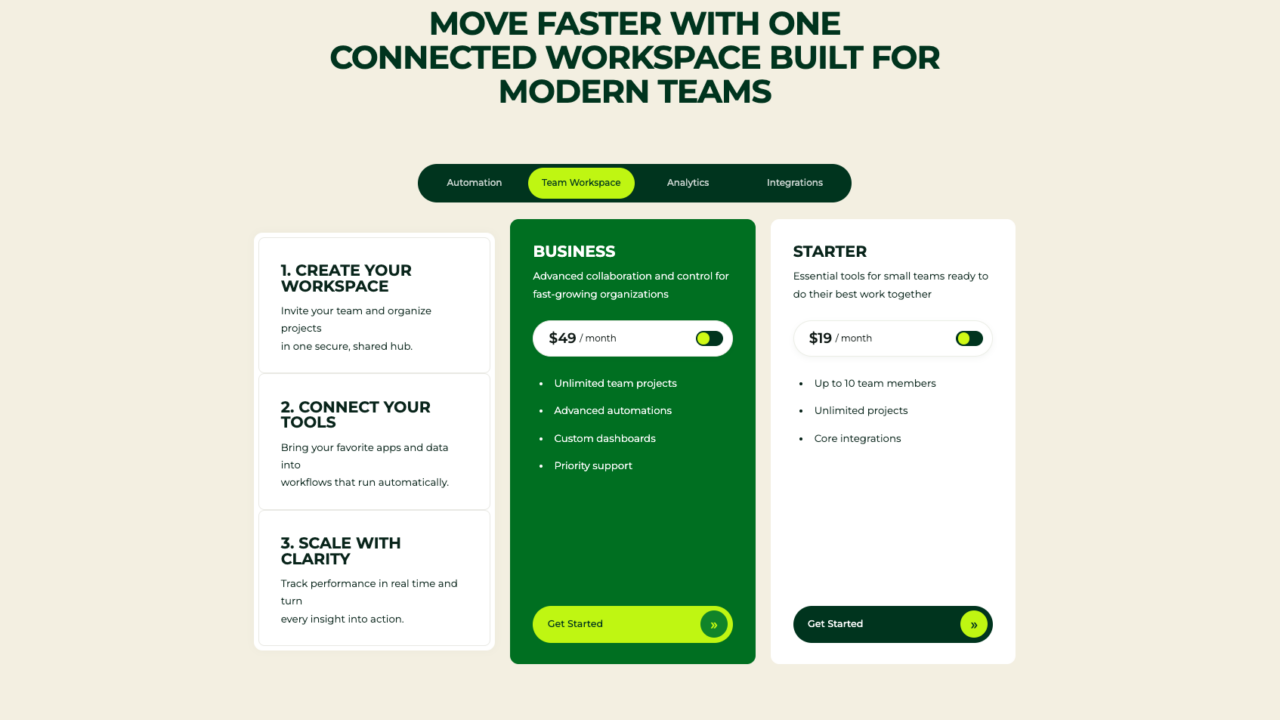
Our free SaaS pricing table template is a great example if your portfolio includes service packages or pricing tiers. Grab a template, adjust the details, and you’ve saved yourself hours of layout work.
A Few Common Questions
1. What’s the best free WordPress theme for a portfolio? Astra is the safest, most flexible all-rounder for almost any creative field. For a clean grid presentation, Kadence is excellent, and Shapely or Hestia suit a single-page portfolio.
2. Do portfolio themes slow down my site with so many images? Not if the theme itself is lightweight and you optimize your images separately. Pairing a theme like Astra or Neve with proper image compression keeps things fast even with a gallery-heavy design.
3. Do I need a page builder for a portfolio site? No. All the themes listed here work well with WordPress’s built-in block editor, so you can build a full portfolio without installing anything extra.
4. Should my portfolio be one page or multiple pages? Either works. A one-page theme like Shapely or Hestia suits a focused, scrollable story, while a multi-page setup with Astra or Kadence gives you room for detailed project pages.
Show Your Work, Not Your Theme
The best free WordPress portfolio theme is the one that gets out of the way and lets your work shine. Astra offers the safest all-around flexibility, Kadence and Blocksy deliver a clean, modern grid, and Shapely or Hestia give you a focused one-page story.
Pick one, keep your galleries clean and fast-loading, and let your projects speak for themselves. For a broader look at fast, well-coded options, our roundup of the best free lightweight WordPress themes is a great next stop.