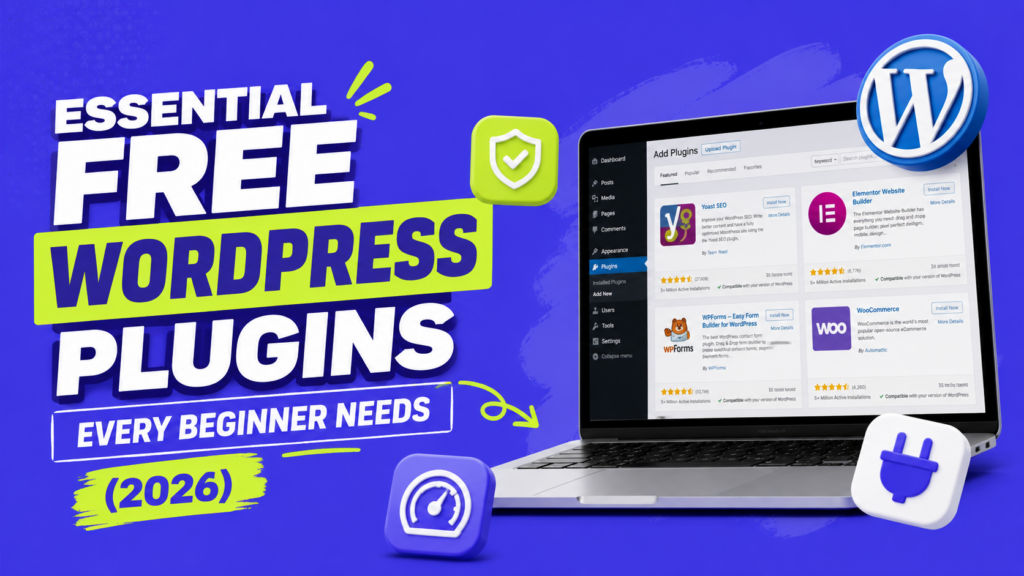
You do not need to install a long list of plugins just because your WordPress site is new.
Start with the jobs your site actually needs, then choose one plugin for each. Your host may already handle caching, backups, or security, while a simple blog may have no need for a contact form or spam plugin at all.
These are the free WordPress plugins I would check first, along with when I would skip them.
1. Rank Math or Yoast SEO – for easier SEO settings
Use it if: You want easier control over SEO titles, meta descriptions, schema, sitemaps, and other search settings.
My first rule here is simple: use one full SEO plugin, not two.
Rank Math is my pick if you want a lot of controls in the free version. Its current plugin includes SEO analysis, schema support, keyword tools, internal-linking features, and other settings from one dashboard. Running another plugin that controls the same SEO settings can cause conflicts.
Yoast SEO is also a perfectly reasonable choice if you already use it and like the workflow. I would not switch between the two just because another plugin has a longer feature list.
Skip it if: You are comfortable managing the SEO settings you need without one. WordPress can still be crawled and indexed without an SEO plugin.
2. LiteSpeed Cache or WP Super Cache – if your site needs page caching
Use it if: Your host does not already provide the caching setup you need.
Caching can reduce the amount of work WordPress has to do when visitors request the same pages repeatedly.
If your server uses LiteSpeed, LiteSpeed Cache is the first option I would check because its plugin includes server-level caching designed for the LiteSpeed stack.
For a simpler alternative, WP Super Cache creates static HTML files that can be served instead of rebuilding the page through WordPress PHP for many visitors.
Do not install several page-caching plugins and turn them all on at once.
Skip it if: Your host already handles full-page caching and recommends that you do not add another caching layer.
3. UpdraftPlus – if your host does not already give you reliable backups
Use it if: You need scheduled WordPress backups that are separate from your hosting account.
UpdraftPlus can back up WordPress on a schedule and send copies to remote storage such as Google Drive or Dropbox.
The off-site part matters. If the only backup lives on the same server as the website, a larger hosting problem can affect both.
I would still check your hosting plan before installing it. Some hosts already create automatic backups and make restoring them easy.
Skip it if: Your host already gives you frequent, reliable backups with the retention period and restore options you need.
4. Wordfence – if you want extra WordPress-level security
Use it if: You want additional firewall, malware scanning, login protection, and two-factor authentication inside WordPress.
Wordfence Free includes an endpoint firewall, malware scanner, brute-force protection, login security, and 2FA.
There is an important free-version limitation worth knowing: real-time firewall rules and malware signatures are Premium features, while the free version receives those updates after a 30-day delay.
That does not make the free plugin useless. It just means I would not describe it as identical to the paid protection.
Also remember that a security plugin is only one part of WordPress security. Updates, strong accounts, good hosting, backups, and sensible permissions still matter.
Skip it if: Your host or security stack already provides the protections you need and you do not want another security layer running inside WordPress.
5. WPForms Lite – if you need a form
Use it if: Visitors need to contact you, request a quote, send feedback, or submit information through the site.
WPForms Lite gives you a drag-and-drop builder and ready-made form templates, so a beginner can create a basic contact form without writing code.
The free version is enough for many basic forms, while more advanced features are reserved for paid plans.
I would install it because I need a form, not because every WordPress site is supposed to have a form plugin.
A personal blog with no contact form can simply skip this category.
Skip it if: You do not need forms, or another tool you already use handles them properly.
6. Smush or ShortPixel – if you want automatic image optimization
Use it if: You upload a lot of images and do not want to resize and optimize every file manually.
Smush can automatically compress uploaded images and also provides bulk optimization and lazy-loading controls in its free plugin. Automatic WebP and AVIF conversion and serving are currently marked as Pro features.
ShortPixel is another good option if modern format conversion matters to you. Its current free plan includes 100 optimization credits per month, so check whether that is enough for the number of images you publish.
Neither plugin removes the need to use sensible image dimensions. Uploading a huge photo and expecting a plugin to solve every performance problem is not the workflow I would use.
Skip it if: You already resize and compress images before uploading, or your hosting/image service handles optimization for you.
7. Akismet – if spam is actually a problem on your site
Use it if: You accept WordPress comments or use a compatible contact form that receives spam.
Akismet checks comments and supported contact-form submissions against its spam database and automatically filters suspicious comments.
That can be useful on a blog with active comments.
But if comments are disabled and your forms already have spam protection that works for you, there is little reason to install another plugin just because Akismet is commonly mentioned in WordPress setup guides.
Skip it if: Your site does not accept comments or other submissions Akismet needs to check.
8. Site Kit by Google – if you want Google data inside WordPress
Use it if: You want Search Console, Analytics, AdSense, and PageSpeed information accessible from your WordPress dashboard.
Site Kit is Google’s official WordPress plugin. It can connect multiple Google products and display their data inside WordPress, including Search Console, Analytics, AdSense, and PageSpeed Insights.
I like it for beginners who would rather have a simpler setup and one place to check the basics.
But you do not need Site Kit to use Google Search Console or Analytics. You can manage those services directly without installing the plugin.
Skip it if: You prefer using Google’s own dashboards and do not need the data repeated inside WordPress.
How many WordPress plugins should you install?
There is no useful number that applies to every site.
I would worry more about what each plugin does, whether its features overlap with another plugin, and whether you still need it.
A site with 20 small plugins doing separate jobs is not automatically worse than a site with five heavy plugins.
Before installing anything, ask:
- What problem does this plugin solve?
- Do I already have something doing the same job?
- Does my host provide this feature already?
- Will I actually use it?
- Is the plugin still maintained?
If you cannot explain why a plugin is active, that is a better reason to review it than simply reaching an arbitrary plugin count.