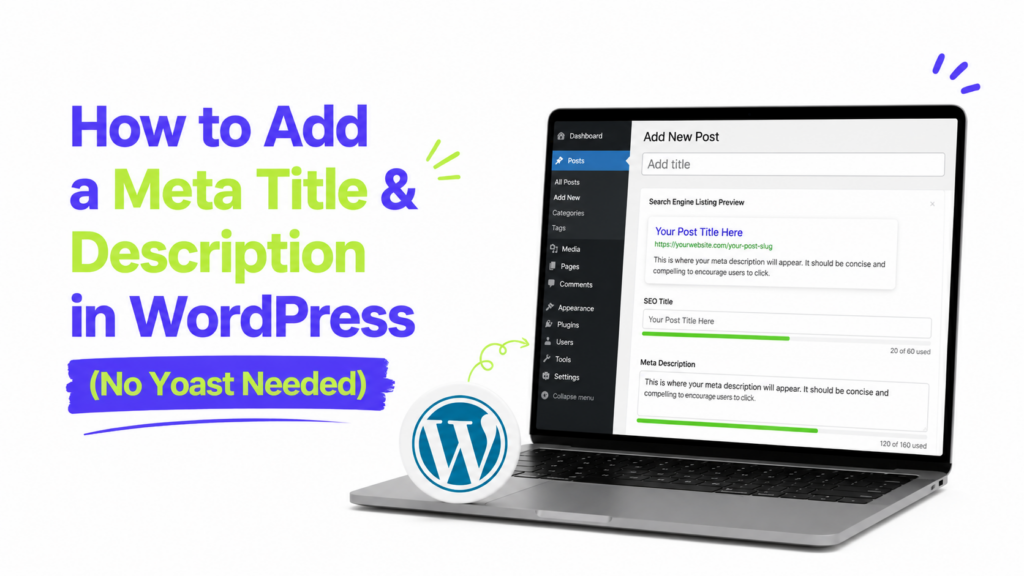
You do not need Yoast to control a page’s SEO title and meta description in WordPress.
For most people, I would use another SEO plugin that provides the same controls. If you genuinely want to avoid a full SEO plugin, you can also add your own title and description fields with a small amount of WordPress code.
One thing to know first: what SEO tools often call a meta title is technically the page’s HTML <title> element. The description is a real meta tag:
<title>How to Add a Meta Description in WordPress</title>
<meta name="description" content="Your description goes here.">
Google may use these when creating a search result, but it can also generate a different title link or snippet when another version better fits the search.
Option 1: Use another SEO plugin
If you only want to avoid Yoast, this is the option I would recommend.
You still get a normal interface for editing SEO settings without maintaining custom PHP yourself.
Two options worth considering are:
- The SEO Framework if you want an automated setup with manual controls when needed.
- Slim SEO if you prefer a simpler setup that handles much of the metadata automatically.
Rank Math is another popular alternative if you want a broader SEO toolkit, although I would not choose it specifically if your goal is to keep the setup minimal.
The important rule is to use one SEO system at a time. Do not have several plugins trying to generate the same titles, descriptions, canonical tags, and schema.
When I would choose this method
Use another SEO plugin if you:
- Want to edit titles and descriptions from the WordPress editor
- Do not want to maintain PHP code
- Need SEO settings for categories, archives, canonicals, social previews, or schema too
If titles and descriptions are only the beginning of what you need, a proper SEO plugin usually makes more sense than rebuilding those features yourself.
Option 2: Add your own SEO title and description fields with code
If you do not want a full SEO plugin, you can create two simple fields for posts and pages and output their values in the site’s <head>.
I prefer putting this in a small site-specific plugin rather than your theme’s functions.php.
SEO metadata belongs to the site, not its visual design. If you switch themes later, a site-specific plugin can keep working.
Create the plugin
In /wp-content/plugins/, create a folder named:
simple-seo-fields
Inside it, create:
simple-seo-fields.php
Paste this code into the file:
<?php
/**
 * Plugin Name: Simple SEO Fields
 * Description: Adds custom SEO title and meta description fields to posts and pages.
 * Version: 1.0
 */

if ( ! defined( 'ABSPATH' ) ) {
	exit;
}

/**
 * Add the SEO fields box.
 */
function tp_add_seo_meta_box() {
	add_meta_box(
		'tp_seo_fields',
		'SEO title and description',
		'tp_render_seo_meta_box',
		array( 'post', 'page' ),
		'normal',
		'default'
	);
}
add_action( 'add_meta_boxes', 'tp_add_seo_meta_box' );

/**
 * Display the fields.
 */
function tp_render_seo_meta_box( $post ) {
	wp_nonce_field( 'tp_save_seo_fields', 'tp_seo_nonce' );

	$seo_title   = get_post_meta( $post->ID, '_tp_seo_title', true );
	$description = get_post_meta( $post->ID, '_tp_meta_description', true );
	?>
	<p>
		<label for="tp_seo_title"><strong>SEO title</strong></label><br>
		<input
			type="text"
			id="tp_seo_title"
			name="tp_seo_title"
			value="<?php echo esc_attr( $seo_title ); ?>"
			class="widefat"
		>
	</p>

	<p>
		<label for="tp_meta_description"><strong>Meta description</strong></label><br>
		<textarea
			id="tp_meta_description"
			name="tp_meta_description"
			rows="3"
			class="widefat"
		><?php echo esc_textarea( $description ); ?></textarea>
	</p>
	<?php
}

/**
 * Save the fields.
 */
function tp_save_seo_fields( $post_id ) {
	if (
		! isset( $_POST['tp_seo_nonce'] ) ||
		! wp_verify_nonce(
			sanitize_text_field( wp_unslash( $_POST['tp_seo_nonce'] ) ),
			'tp_save_seo_fields'
		)
	) {
		return;
	}

	if ( defined( 'DOING_AUTOSAVE' ) && DOING_AUTOSAVE ) {
		return;
	}

	if ( wp_is_post_revision( $post_id ) ) {
		return;
	}

	if ( ! current_user_can( 'edit_post', $post_id ) ) {
		return;
	}

	if ( isset( $_POST['tp_seo_title'] ) ) {
		update_post_meta(
			$post_id,
			'_tp_seo_title',
			sanitize_text_field( wp_unslash( $_POST['tp_seo_title'] ) )
		);
	}

	if ( isset( $_POST['tp_meta_description'] ) ) {
		update_post_meta(
			$post_id,
			'_tp_meta_description',
			sanitize_text_field(
				wp_unslash( $_POST['tp_meta_description'] )
			)
		);
	}
}
add_action( 'save_post', 'tp_save_seo_fields' );

/**
 * Replace the document title when a custom SEO title exists.
 */
function tp_custom_document_title( $title ) {
	if ( is_singular( array( 'post', 'page' ) ) ) {
		$seo_title = get_post_meta(
			get_queried_object_id(),
			'_tp_seo_title',
			true
		);

		if ( $seo_title ) {
			return $seo_title;
		}
	}

	return $title;
}
add_filter( 'pre_get_document_title', 'tp_custom_document_title' );

/**
 * Output the custom meta description.
 */
function tp_output_meta_description() {
	if ( ! is_singular( array( 'post', 'page' ) ) ) {
		return;
	}

	$description = get_post_meta(
		get_queried_object_id(),
		'_tp_meta_description',
		true
	);

	if ( $description ) {
		echo '<meta name="description" content="' .
			esc_attr( $description ) .
			'">' . "\n";
	}
}
add_action( 'wp_head', 'tp_output_meta_description', 1 );
Activate Simple SEO Fields under Plugins → Installed Plugins.
You should now see an SEO title and description box when editing a post or page.
The code creates the fields, checks permissions and a nonce before saving them, replaces the WordPress-generated document title when you enter a custom one, and outputs the description in the page <head>.
One important theme requirement
The custom title filter assumes your active theme uses WordPress’s standard title-tag support.
Most modern themes do, but an older or heavily customized theme may generate its <title> element another way.
If your SEO title does not change, view the page source and check how the theme is generating the <title> tag before changing the code.
What this code does not do
This is intentionally a small solution.
It handles custom SEO titles and descriptions for posts and pages. It does not create a complete SEO system for:
- Category and tag archives
- Author archives
- Canonical URLs
- XML sitemaps
- Open Graph tags
- Schema markup
- Robots settings
If you start needing several of those features, I would stop extending the custom code and use a proper SEO plugin instead.
How long should the title and meta description be?
Do not treat 60 characters for titles or 160 characters for descriptions as Google rules.
Google does not publish a fixed character limit for the <title> element. Search results can shorten title links depending on the available display space.
Meta descriptions work similarly. There is no fixed Google character limit, and snippets may be shortened depending on the device.
I would focus on making both concise and useful.
For a title:
Weak:
WordPress Tips
Better:
How to Add a Meta Description in WordPress
For the description, explain what someone will get from the page instead of filling it with keyword variations.
Do meta descriptions improve rankings?
I would not write a meta description for a direct ranking boost.
Its main job is to give Google useful text it may choose when creating a search snippet. Google can also build the snippet from the page itself, and the text shown can change depending on the search query.
A clear title and useful description can make it easier for someone to understand your result before clicking. That is a better reason to optimize them than trying to turn click-through rate into another ranking formula.
Check that your title and description are working
Do not assume everything works just because the fields appear in WordPress.
Publish or update a page, open it on the front end, then view the page source.
Search for:
<title>
and:
<meta name="description"
Make sure the values match what you entered.
You should also check that you do not have another SEO plugin, theme feature, or snippet outputting a second meta description.
If another SEO system already controls these tags, do not run the custom solution alongside it.
Seeing the correct HTML on your site also does not mean Google has to display exactly the same text in Search. Google can generate title links and snippets from several sources when its systems consider another version more useful.
Which method should you use?
For most WordPress users, I would use The SEO Framework, Slim SEO, or another SEO plugin you are comfortable maintaining.
Use the custom-code method only if your needs are genuinely limited to posts and pages and you are comfortable maintaining a small site-specific plugin yourself.
Avoiding Yoast does not mean you need to rebuild an entire SEO plugin. Use the simplest solution that gives you the controls your site actually needs.