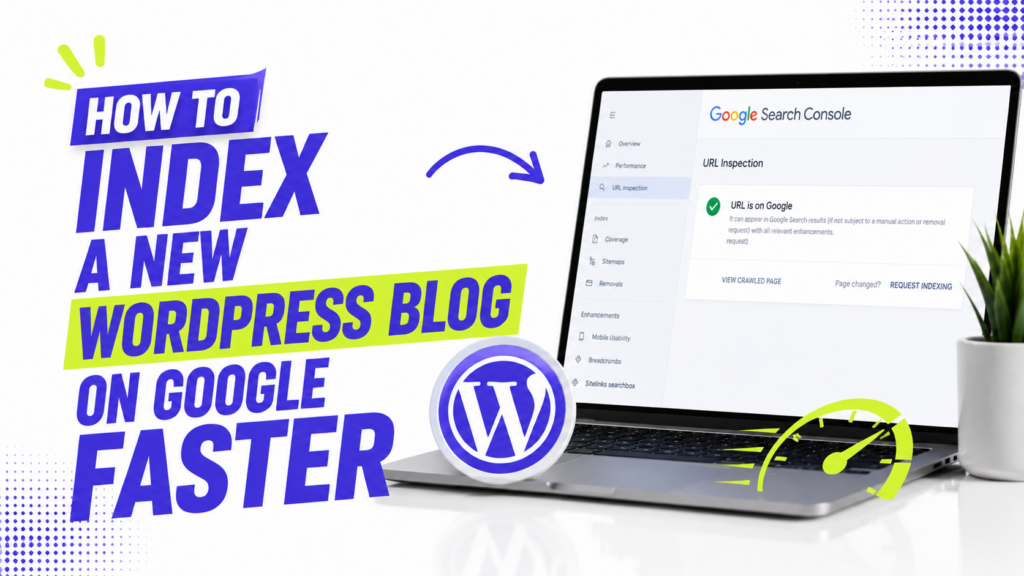
If your new WordPress blog is not showing in Google yet, start by checking whether Google can access and index it. Then set up Google Search Console, submit your sitemap, and use URL Inspection for the pages that matter most.
These steps help Google discover and evaluate your pages, but there is no button that guarantees instant indexing. Google decides whether and when a page is added to its index.
1. Make sure WordPress is not blocking search engines
Before submitting anything to Google, check this setting:
Settings → Reading
Under Search Engine Visibility, make sure Discourage search engines from indexing this site is unchecked if your blog is ready to be public.
When that option is enabled, WordPress asks search engines not to index the site.
This is the first thing I would check on a new site, especially if it was hidden while you were designing it.
2. Set up Google Search Console
Google Search Console lets you see how Google is crawling and indexing your site.
Add your website as a property and complete the ownership verification process. Once verified, you can use tools such as URL Inspection, Page Indexing, and Sitemaps to check what Google knows about your site.
For a new blog, Search Console is much more useful than repeatedly searching your site name on Google and guessing whether indexing has happened.
3. Check whether the page is already indexed
Before requesting indexing, inspect the URL.
Paste the full page URL into the URL Inspection bar in Search Console.
Search Console can tell you whether Google knows about the URL and highlight indexing problems that need attention.
If the page is already indexed, you do not need to request indexing again just because it is not ranking for your target keyword. Indexing and ranking are different problems.
Google first crawls pages, then evaluates them for indexing. Indexed pages may later be served in search results when Google considers them relevant to a query.
4. Find and submit your XML sitemap
A sitemap gives Google a list of URLs it can use for discovery.
Modern WordPress includes XML sitemap functionality for public sites, and SEO plugins such as Yoast or Rank Math may provide their own sitemap instead. WordPress core’s sitemap system has been available since version 5.5.
Do not assume every WordPress site uses the same sitemap URL. Check which sitemap your setup generates, then submit that URL under Search Console → Sitemaps.
A sitemap is useful, particularly for a new site, but it is not an indexing guarantee. Google describes sitemap submission as a hint and may discover well-linked pages even without one.
5. Request indexing for important new pages
If an important page is not indexed and there is no obvious technical problem, you can use URL Inspection → Request Indexing.
I would use this for a small number of important new or substantially updated pages rather than treating it as something you must do after every post.
Google says requesting indexing does not guarantee that a page will be crawled or indexed, and repeatedly submitting the same URL will not make the process faster.
So think of Request Indexing as a way to tell Google a page is ready to be checked, not a shortcut that pushes it to the front of a special ranking or crawl queue.
6. Add internal links to new posts
Google discovers URLs by following crawlable links, so do not leave a new article isolated from the rest of your site.
When you publish a new post, link to it from relevant existing content when that link is genuinely useful.
For example, if you publish a guide about WordPress image optimization, an existing article about speeding up WordPress is a natural place to link to it.
You do not need an arbitrary number of internal links. What matters is that important pages can be reached through the site’s navigation or relevant links.
7. Check for a noindex tag if a page still will not index
If Google can crawl the URL but the page still appears to be blocked, check whether it has a noindex directive.
SEO plugins can let you set individual posts, pages, categories, or other archives to noindex. That is useful when intentional, but a wrong setting can keep an important page out of Google Search.
Google needs to crawl the page to see a noindex rule. Search Console’s URL Inspection and Page Indexing reports can help diagnose these problems.
If you find an accidental noindex, remove it and allow Google to crawl the updated page again.
8. Check the canonical URL
Sometimes Google crawls a page but chooses another URL as the canonical version.
A canonical URL is the version Google considers most representative when it finds duplicate or very similar pages.
In Search Console, check the canonical information for a page that is not being indexed as expected.
If your SEO plugin accidentally points the canonical tag to another URL, or several URLs contain essentially the same content, fix that problem before repeatedly requesting indexing.
Google treats canonical signals as preferences rather than an absolute command, so it can still select a different canonical when its systems consider another version more appropriate.
9. Publish pages that are worth indexing
Technical setup only gets Google to the page. It does not force Google to keep that page in its index.
There is no minimum word count you need to reach before a post can be indexed.
Instead of aiming for 1,000 or 3,000 words by default, write enough to satisfy the purpose of the page. A focused tutorial may need detail, while a narrow answer may not.
For a new WordPress blog, I would avoid publishing dozens of near-duplicate posts that answer almost the same query. Make each page useful enough to deserve its own URL.
How long does Google indexing take?
There is no reliable indexing time that applies to every new WordPress site.
Google says crawling after a request can take from a few days to a few weeks, and even then indexing is not guaranteed.
If a page still is not indexed after Google has had time to crawl it, do not keep pressing Request Indexing.
Check the actual reason instead:
- Is WordPress blocking indexing?
- Is the page marked
noindex? - Can Google crawl it?
- Is another URL being treated as canonical?
- Is the page internally linked?
- Does the page offer enough unique value to justify indexing?
Fix the underlying issue first, then let Google recrawl the page.